


Flux AI Image Generator - Every FLUX.2 Variant, One Cabina.AI Subscription


Four FLUX.2 variants, one interface
Cabina.AI exposes the entire FLUX.2 lineup so you can match the model to the job. FLUX.2 [max] is the flagship for maximum prompt adherence, character consistency, and complex typography. FLUX.2 [pro] is the workhorse - the best quality-to-latency ratio for production pipelines. FLUX.2 [flex] exposes steps and guidance parameters for fine-grained control over detail and prompt-following. FLUX.2 [klein] is the Apache-2.0 open-weight distillation, ideal for fast drafts and iteration. Switch variants mid-conversation without losing context.
Production-grade text and exact-hex color
FLUX.2 renders legible, correctly-kerned typography - including UI copy, product labels, infographic annotations, and multi-line editorial text - with a 32,000-token prompt window so entire style guides, brand voice notes, and layout specs fit in a single instruction. Specify a color by hex code (#C9633B, #0B1F3A) and FLUX.2 matches it closely, not approximates it.
Multi-reference, JSON control, and pose guidance
Provide up to 10 reference images in a single prompt for character consistency, product placement, style transfer, or scene composition. Structured JSON prompting gives you deterministic control over layout, subject placement, lighting, and camera parameters. Pose guidance and spatial reasoning let you dictate exactly where each element sits in the frame, while Generative Expand and Shrink let you extend or reframe existing images without regenerating from scratch.
Speed and resolution
Native output up to 4 megapixels, with a fast low-resolution draft mode (from as little as ~400 square pixels) for cheap iteration before committing to a full render. Typical generation time is under 10 seconds on Pro and Flex; Klein returns near-instant drafts for rapid brainstorming.
Real use cases
E-commerce product photography with exact brand colors, UI/UX mockups with legible interface copy, editorial and marketing portraits, infographics and data-viz assets, storyboard frames with consistent characters across shots, packaging comps, and social-first content sized to any platforms aspect ratio.
FLUX doesn’t just generate images anymore
FLUX 3 adds native video generation to the same Cabina.AI workspace - animate a still you just made in FLUX.2, or generate motion straight from a text prompt, without switching models, downloading anything, or re-uploading a single file. Same token balance, same chat.
Try FLUX 3 on Cabina.AIHow to Use Flux Online
Log in to Cabina.AI or sign up for free.
Click the "Ask Cabina" button to access your workspace.
Select Flux AI and your desired model.
Enter a detailed text description of the image you want.
Click the "Arrow" button and in a few seconds you will see your image created by Flux
Generated with FLUX.2
Golden hour rooftop setting, photorealistic lighting and skin texture, rendered at 4 MP.

Fully legible “Home / Analytics / Settings” navigation labels - the thing text-in-image generation has historically struggled with.

Ceramic mug in exact hex #C9633B, three-quarter angle, soft key from camera-left.

A report asset built around one number landing clearly, with clean chart bars and legible labeling.
Storyboard-ready concept art with a consistent character design, built for games or animation.

Bold on-pack typography and a brand-accurate gradient, ready for a product line.
A social-first quote card sized for Instagram, with legible headline typography over a bold gradient.
Alternatives to Flux AI

 Midjorney
  Ideogram
  NanoBanana
  Magnific
  RunWayImage
  StableDiffusion
  ImageGeneration
  Leonardo
 Benefits to Use Flux at Cabina.AI
- Generate multiple images for free with Flux;
- Create high-quality images quickly;
- Large selection of Flux models;
- Ability to create multiple images at the same time;
- Wide range of image generation settings;
- Easy to use, even for beginners;
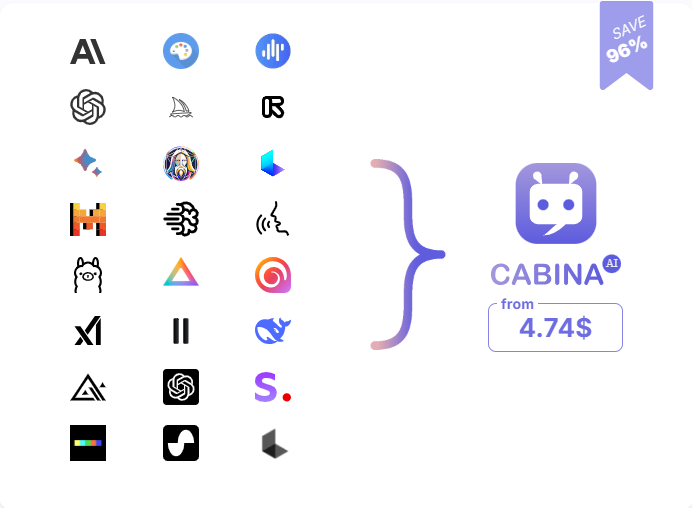
- Access to other image generators in one account;
- No need for multiple subscriptions to different AI tools;
- Cost-effective alternative to the traditional image creation process;
- 24/7 customer support;
- Regular updates and new features.
Two ways in, same model
Type, send, refine
Open a new chat, pick FLUX.2 [pro] from the model dropdown, type what you want in plain English (“a terracotta mug, studio lighting, hex #C9633B, three-quarter angle”), and hit send. Refine with follow-up messages - “make it warmer,” “add steam,” “9:16 crop” - the conversation carries context forward automatically.
Full parameter control
Switch to FLUX.2 [flex] to expose step count and guidance scale, drop in up to 10 reference images for character or style locking, and pass a JSON block for deterministic layout control. Use Klein for cheap draft iteration, then re-run the winning prompt on Max at full resolution for the final. Wire it into your stack via Cabina.AI API & MCP for programmatic access from your own tools, agents, or CI.
Join Us Today
Join Cabina.AI and get free tokens to bring your creative ideas to life with Flux
Our Pricing Plans for Using FLUX
| Plan | Price | Monthly Tokens | Approx. Generations |
|---|---|---|---|
| Free | $0 | 50 | ~23 |
| Starter | $4.99 | 450 | ~207 |
| Basic | $9.99 | 1,000 | ~462 |
| Growth | $18.99 | 2,100 | ~970 |
| Premium | $99.99 | 14,000 | ~6,469 |
| Pay-as-you-go | $20 | 1,800 | ~833 |
Flux does not have to work alone
“Multi-Format mode: come up with an idea with Gemini, then make an image of it in the same chat with Flux, and then bring it to life via Runway Video. If you want to voice over, use Audio AI and the creo is ready.”
FLUX 2 vs GPT Image 2 vs Grok
Same prompt, three models, side-by-side results - watch where FLUX pulls ahead.
FAQ
How to Use Flux AI Image Generator at Cabina.AI?
First of all you need to log in to your profile or register on the Cabina.AI website. Next, for getting started with Flux AI it is enough to describe the picture you want to get in a special input line, as if you were explaining your idea to an artist. For example: “Orange sunset over the sea with waves, a lonely palm tree stands on the shore, a flock of birds flies in the sky.” The more detailed the description, the more accurate the result.
How Much Does Flux AI Cost?
After registration, you get free tokens that you can spend on the Flux online image generator. You can always top up your balance with one of the suggested amounts or purchase a monthly subscription that suits your needs. More details on the price page
What Types of Images Can I Generate With Flux AI?
FluxAI can create almost any image you want, the only limit is your imagination. Experiment with different prompts, create multiple images at once, choose the orientation of the image. All these little tips will allow you to create a beautiful result. Important: the clearer the prompt, the better the image you will get.
What is Flux AI used for?
Flux AI, like other AI image generators, is primarily used to create images from text descriptions. It is ideal for: creating original art images, banners, images for Instagram, Facebook, creating images for blog posts, creating characters for video games, etc.
Is Flux an LLM? I've seen it called the "flux llm model" - is that right?
Flux is not an LLM. It's a text-to-image diffusion model family from Black Forest Labs. “LLM” refers to large language models like GPT-5 or Claude, which generate text. FLUX.2 generates images from text prompts and optional reference images. Cabina.AI hosts both categories side-by-side, which is probably where the naming confusion comes from - but technically, “flux llm model” is a misnomer.
How does FLUX.2 on Cabina.AI compare to using Black Forest Labs directly?
Same underlying models - Max, Pro, Flex, Klein - but billed from one shared token balance instead of a standalone subscription, inside the same interface as every other model Cabina.AI supports.
Will my text render correctly? I've been burned by other image models.
Yes. FLUX.2 was specifically trained for production-grade typography. UI labels, product copy, and multi-line editorial text render legibly. It's not perfect on every font at every size, but it's the current state of the art for text-in-image.
Can I match my brands exact colors?
Yes - specify hex codes directly in the prompt and FLUX.2 matches them closely rather than approximating.
Is generation actually fast enough for iterative work?
Pro and Flex typically return 4 MP images in under 10 seconds. Klein low-resolution draft mode is near-instant, which is what makes rapid iteration cheap.
What if I need to keep a character or product consistent across many images?
Supply up to 10 reference images in a single prompt. FLUX.2 multi-reference conditioning is built for character consistency, product placement, and style transfer across a series.
How does a Subscription Work?
Monthly plans charge automatically each month with tokens credited instantly. Annual plans charge once a year with the full annual token amount credited immediately. Unused tokens after a subscription ends are preserved for at least 1 year.